Family hub 2.0 GUI Guidelines (Mobile App)
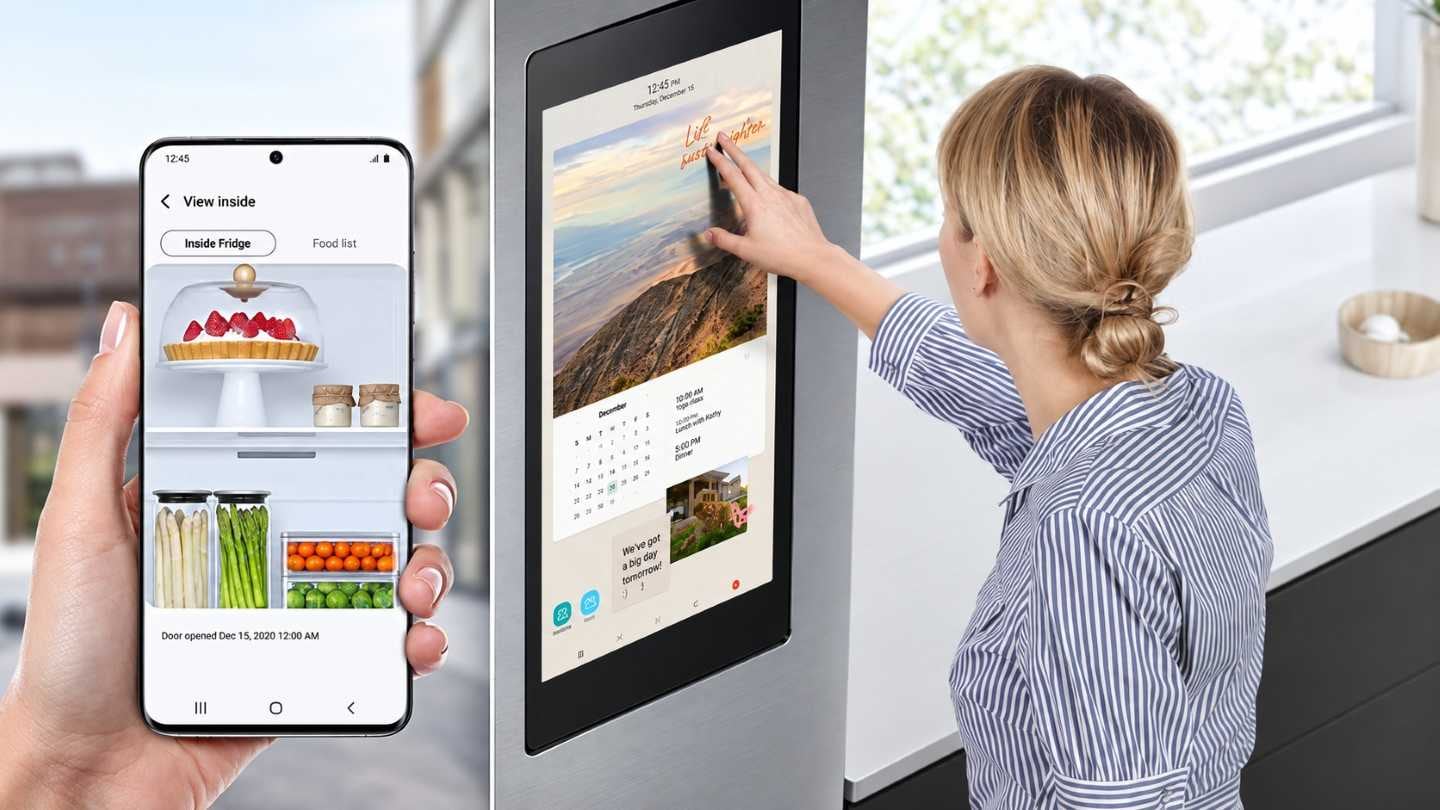
Everyone in the house uses the refrigerator, in passing, without deciding to. In 2.0 the phone joined it.
Family Hub tied the fridge screen to a mobile app, so a task begun in the kitchen could be finished in another room, by someone else.
The same function shown twice has to be recognisably the same function — and some of it should not be shown to everyone in the house. Both were decisions for the guideline, not for the individual screens.
We wrote the mobile app GUI guidelines on the appliance experience built up since the internet refrigerator. The scope grew during the work and the contract with it.
Technology trends
Written by AEON from public sources. It describes the field, not the project above.
When Samsung introduced Family Hub at CES 2016, it placed a 21.5-inch screen on the refrigerator door for shared calendars, notes and photos, with cameras inside that photograph the contents each time the door closes. The idea was that the kitchen already worked as the household's noticeboard and the refrigerator could become its digital version. Since the late 2010s that idea has spread well beyond refrigerators: smart displays from Amazon and Google took up similar places on kitchen counters, and the communal screen became a recognised category of device.
A communal screen has an awkward property. It has many users and, in the interface sense, no single owner. Early communal screens tended to treat the household as a single user. The direction since then has been towards recognising who is standing in front of the device. In 2019 Samsung added Bixby voice ID to Family Hub so that the refrigerator could tell family members’ voices apart and give each person information suited to them. Across the industry, voice and camera recognition have increasingly been used to personalise screens that the whole household shares.
HCI research suggests that the hard part is social rather than technical. A survey by Kraemer and colleagues, published in the CHI 2020 extended abstracts, highlighted that expectations about communal technology in the home depend on the qualities of the relationships between the people sharing it as well as of the technology, and proposed that designs draw on information such as location and levels of trust. The circle also extends beyond the household: a survey by Park and colleagues found nearly half of smart home owners had shared at least one device with someone who did not live with them, often a trusted relative given remote access.
More capable conversational assistants on these devices add a further layer. Kitchen displays and refrigerator screens increasingly answer open questions, suggest recipes from what is in stock and read out schedules, and an assistant that speaks to a room speaks to everyone in it. The industry's answer so far has been recognition, by voice or by face, but recognition can fail, and households differ widely in how much they want a shared device to know about each member. Account models built for personal phones fit awkwardly onto a device that a family, a visiting grandparent and a cleaner may all touch in the same day.
For the people who share these devices, a few needs recur. They need to see who the device currently thinks it is serving, and to have sensible behaviour when it recognises nobody. They need recognition errors to be cheap, so that being mistaken for someone else reveals little and is easy to correct. And they need a device whose behaviour fits the household's own sense of who may see and change what, rather than a single owner's settings imposed on everyone else who lives there.