One Magician UX Project UX Prototype and Film
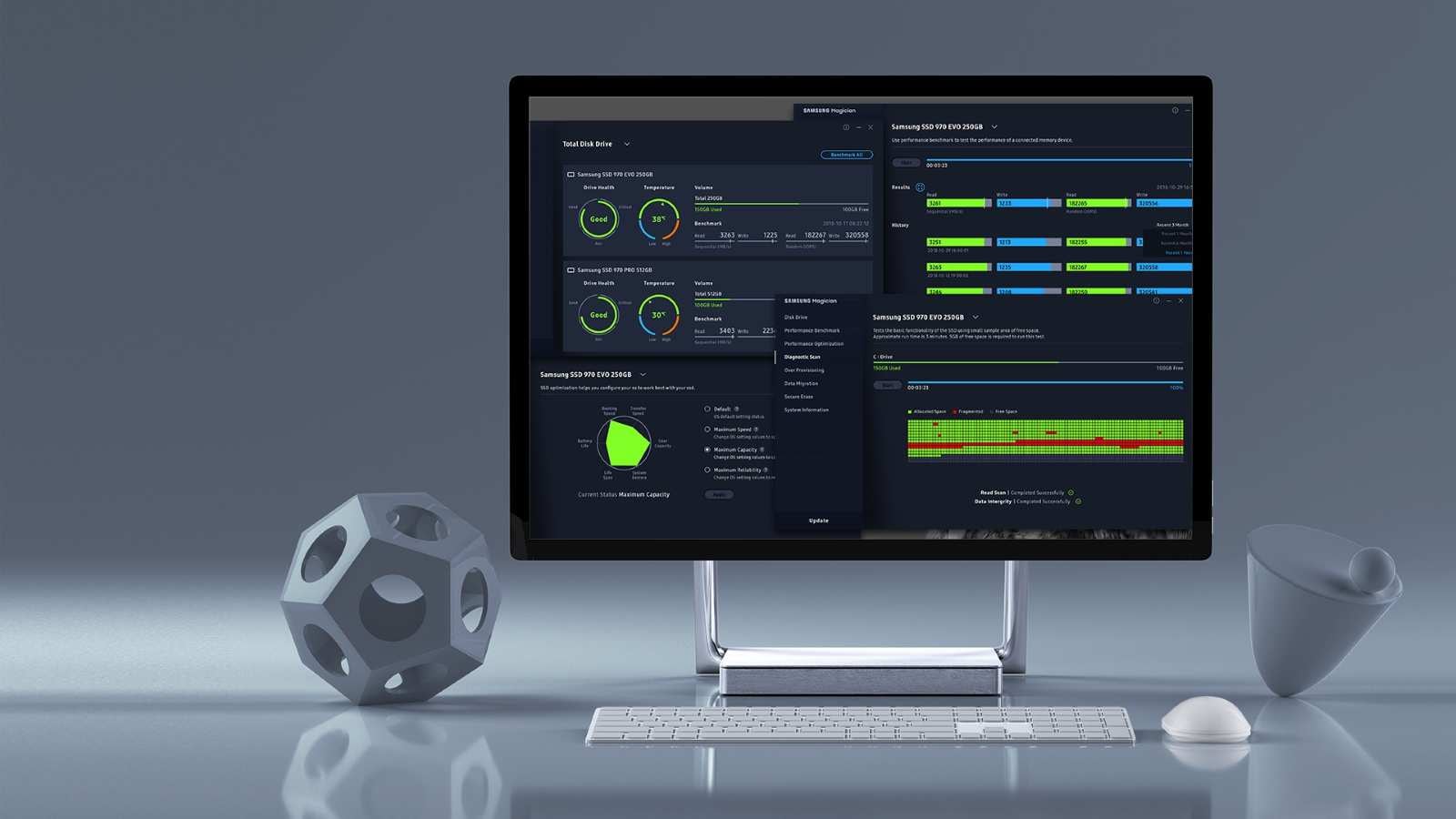
A table of figures tells you what the drive is doing. It does not tell you whether that is good.
Samsung's memory division ships a great many products, and this is the single piece of software that manages all of them. Whatever it shows has to hold across parts that differ in what they are even able to report about themselves.
What was there was a screen of numbers. A number is a measurement, and the person reading it wants a judgement — someone who has just bought a drive does not know what a given transfer rate means, or whether a given temperature is a problem. They open the software once, to find out whether the thing is all right.
So the work was to put the interpretation on screen beside the measurement and let graphics carry it. That is not decoration — it is the software answering the question the person actually arrived with. The figures stay for anyone who wants them.
UX prototype for the next version, and the film that explains it.
Technology trends
Written by AEON from public sources. It describes the field, not the project above.
Since the late 2010s, consumer storage has changed faster than the software people use to look after it. In 2018 a typical upgrade meant swapping a hard disk for a SATA solid-state drive; today mainstream machines ship with NVMe drives on PCIe 4.0, and PCIe 5.0 parts are moving into enthusiast desktops. Each step has brought more internal telemetry, from wear levels and spare capacity to error counts and temperature, and more pressure to make it intelligible to people who never asked to think about it.
One clear shift is that the operating system has begun to take on part of this job. In 2020 Microsoft started testing storage health monitoring for NVMe drives in Windows 10, raising a notification when a drive shows signs of failure and pointing users to a drive health section in Settings with the warning and further details. Health reporting that once lived only in manufacturers' utilities and enthusiast tools has become a platform feature, and its central instruction is a plain one: back up now.
Large fleets have also made reliability something the public can inspect. Backblaze, which publishes statistics from its own data centres, has reported lifetime annualised failure rates for its SSD boot drives just under one per cent, while noting that its SSDs are at an earlier stage of life than its hard drives and that some models' figures carry wide confidence intervals. Anyone presenting drive health to consumers inherits the same problem: a single figure carries more uncertainty than it appears to.
That point was made sharply in early 2023, when owners of Samsung's 990 Pro reported health readings falling far faster than expected. Samsung traced the fault to firmware and issued a fix, most easily applied through its Magician utility; as Puget Systems noted, the update stopped the accelerated decline but did not restore readings already lost. The episode showed that a health indicator is itself software, and that the tool which displays it is also the route by which it gets corrected.
Heat is the newer complication. Early PCIe 5.0 drives drew enough power that reviewers found some could throttle, raise file-system errors or even shut a PC down without a heatsink, and controller makers responded by revising their thermal throttling behaviour while drive makers added integrated coolers. Temperature has moved from a line in a specification sheet to a factor that decides whether a drive delivers the speed printed on its box.
For users, storage has become something the computer increasingly speaks up about, rather than something checked only after it fails. The design challenge lies in pacing those interventions: warnings that are rare, specific and tied to a clear next step, such as making a backup or applying an update, and enough openness about how health is estimated that people can calibrate their trust instead of treating a percentage as a verdict.